
Reports
Purpose of this Page
The Reports module provides access to available reports for the selected bank and reporting date.
Use this page to:
- Locate available reports
- Access report files
- Download report output
- Review reporting data for a specific date
How to Access
- Navigate to the Client Access Portal (CAP).
- From the top navigation, select Reports then Daily Reports.
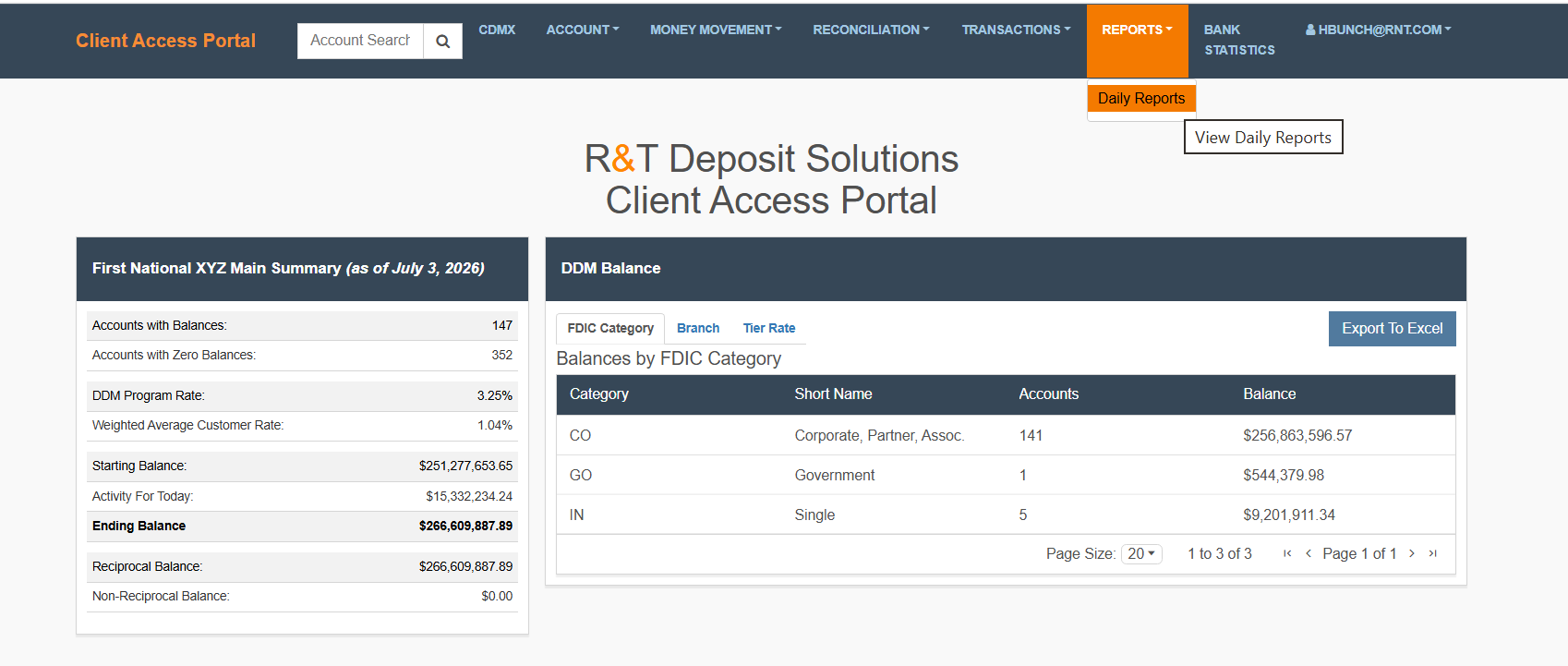
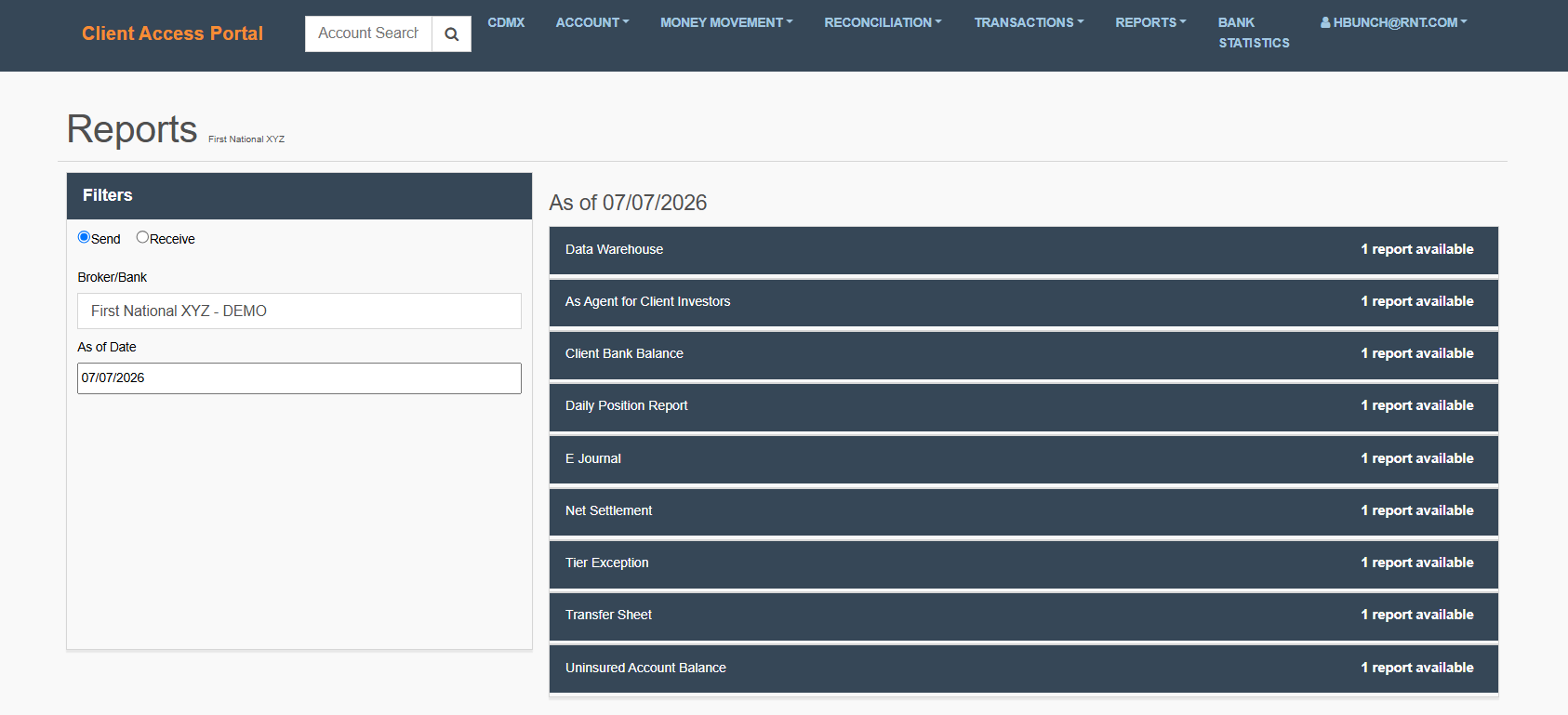
Understand the Page Layout
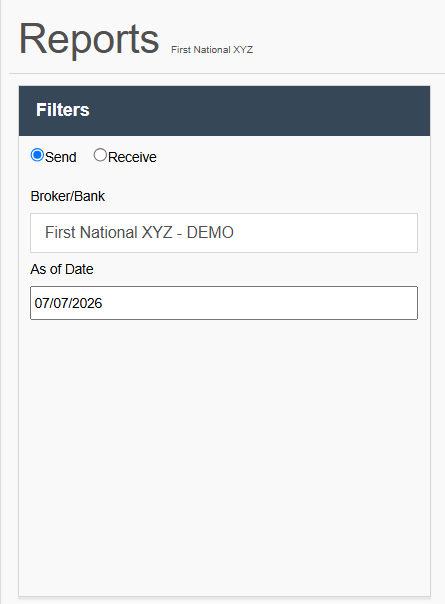
Filters
The Filters section is used to determine which reports are available.
Send / Receive
Determines which report set is displayed.
Broker/Bank
Displays the currently selected bank.
As of Date
Determines the reporting date used to retrieve available reports.
Helpful Tip: The date picker defaults to the current date. Most reports become available after end-of-day processing, so you may need to select the previous business day to view the most recent available reports.
Report Categories
The right side of the page displays available report categories. Examples include:
- Data Warehouse
- As Agent for Client Investors
- Client Bank Balance
- Daily Position Report
- E Journal
- Net Settlement
- Tier Exception
- Transfer Sheet
- Uninsured Account Balance
Each category displays the number of available reports.
Choose the Right Report
The Reports Guide provides additional guidance for selecting, understanding, and interpreting reports available within CAP.
The guide includes:
- Report descriptions and business context
- Guidance on when reports should be used
- Information on how to interpret report results
- Workflow-based organization to help users identify reports that support common business activities
For an overview of the Reports Guide, including important disclaimers related to sample report data and reporting variations, refer to the Reports Guide Introduction.
Use the table below to identify the report that best supports your task and access the corresponding section in the Reports Guide for additional guidance.
Available Reports
| Report | Use This Report When You Need To... | Reports Guide |
|---|---|---|
| Daily Position Report | Verify balances, activity, interest accruals, and settlement amounts. | Reconciliation & Position |
| E Journal | Research transaction activity and investigate discrepancies. | Transactions & Exceptions |
| Net Settlement | Review settlement activity and funding obligations. | Settlement & Funding |
| Tier Exception | Investigate customer rate and tier assignment issues. | Transactions & Exceptions |
| Uninsured Account Balance | Review accounts with uninsured balances. | Transactions & Exceptions |
| Data Warehouse | Access data extracts for reporting, analysis, and reconciliation activities. | Technical Data Feeds |
Find a Report
What You Need to Do
- Select the appropriate Send or Receive option.
- Verify the selected Broker/Bank.
- Select an As of Date from the date picker.
Helpful Tips
- Report availability may vary by date
- Report availability may vary by institution
- The number of available files appears on the right side of each report category
Open a Report
What You Need to Do
-
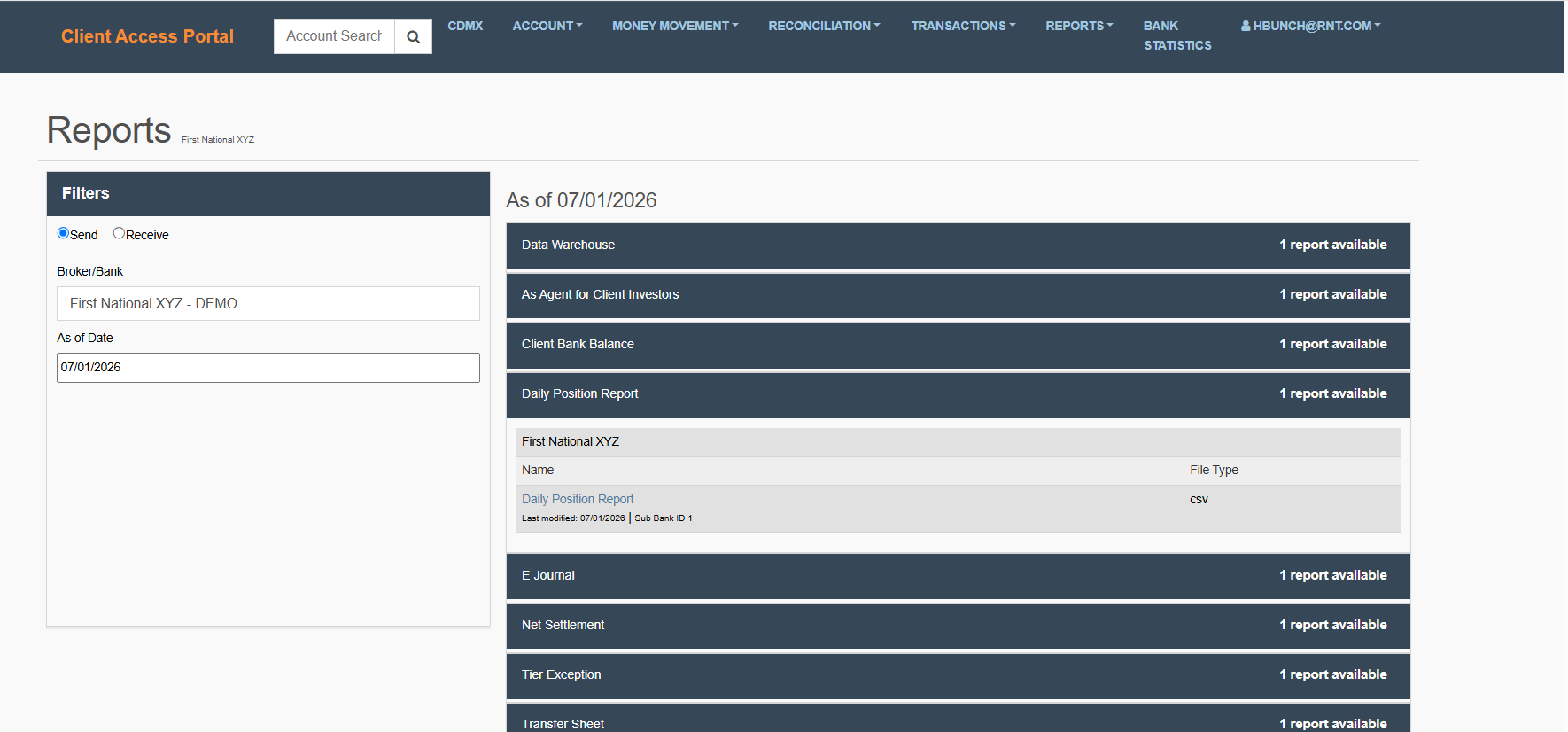
Expand the report category (e.g. Daily Position Report).
-
Locate the desired report file.
-
Click on the file name link.
Updated about 2 months ago